Typeface
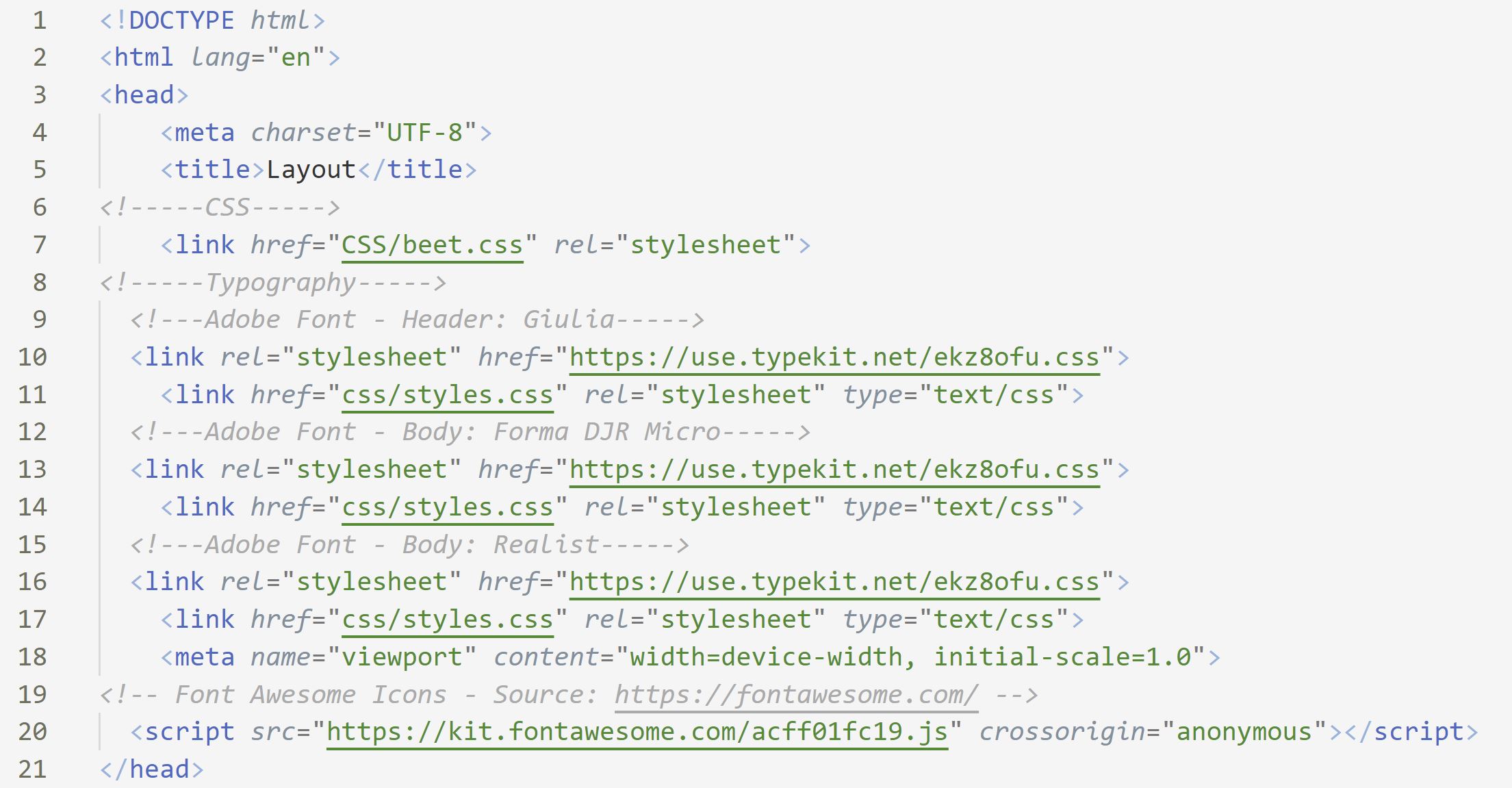
We incorporated 3 main types of Adobe fonts: “Giulia” and "Forma DJR Micro” for title and subtitle and navigation, “Realist” for body.
Installation:
Copy below codes in your html head section, or you can easily download font.txt and start coding your documents. To customize your own version of fonts or icons, you can simply incorporated the customized fonts under "<"!----Typography----">"
SASS Variable:
| variable | description |
|---|---|
| $base-font-size | 16px |
| $mobile base font size | 14px |
| $font-[weight:light|regular|bold] | 300px/400px/500px |
Font Class:
| .italic-heading-font | “Giulia” font in italic with regular weight |
|---|---|
| .italic-subtitle-font | “Forma DJR Micro” in italic with light weight |
| .italic-body-font | “Realist” in italic with light font weight |
| .strong | To make the font bold in beet color |